
Best Adjustable Monitor Arms for Better Ergonomics and Cleaner Desk Setups
Discover the best adjustable monitor arms for ergonomic desk setups, better posture, cleaner workspaces, and improved productivity daily.
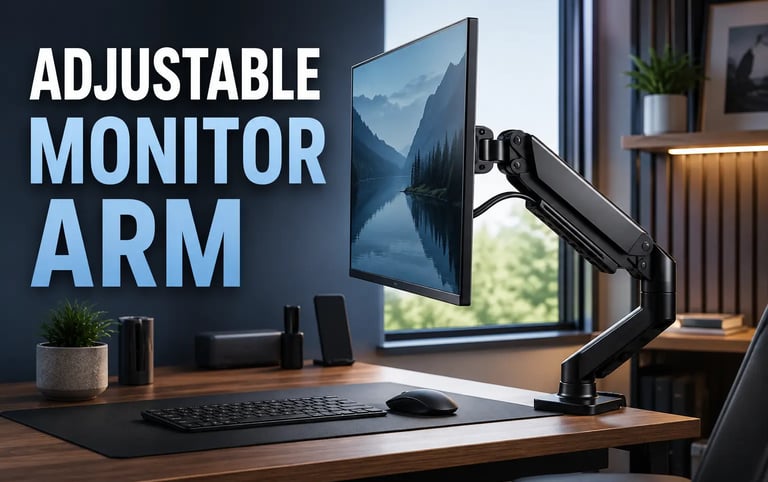
Modern desk setups are no longer just about aesthetics. Productivity, comfort, ergonomics, and workspace organization now play a major role in how people build efficient workstations for gaming, remote work, content creation, and multitasking.
An adjustable monitor arm is one of the most effective upgrades for improving desk ergonomics while also creating a cleaner and more organized setup. By lifting monitors off the desk surface, monitor arms free up space, improve viewing angles, reduce neck strain, and help create more flexible workstations.
Whether you use a single monitor for productivity or dual monitors for multitasking, a high-quality monitor arm can significantly improve comfort during long work sessions.
These adjustable monitor arms are some of the most popular options currently available for modern desk setups.
Why Adjustable Monitor Arms Are So Popular
Traditional monitor stands often take up valuable desk space and provide very limited flexibility. Adjustable monitor arms solve this problem by allowing users to reposition displays more naturally.
Some of the biggest advantages include:
Better posture
Reduced neck strain
Cleaner desk organization
More flexible screen positioning
Improved cable management
Better multitasking setups
More usable desk space
Monitor arms are especially popular among:
Remote workers
Gamers
Programmers
Video editors
Designers
Productivity-focused users
They also pair extremely well with accessories like adjustable laptop stands ,portable monitors , compact desktop speakers , and ergonomic setups using a vertical mouse.
Best Adjustable Monitor Arms
1. HUANUO FlowLift Single Monitor Arm
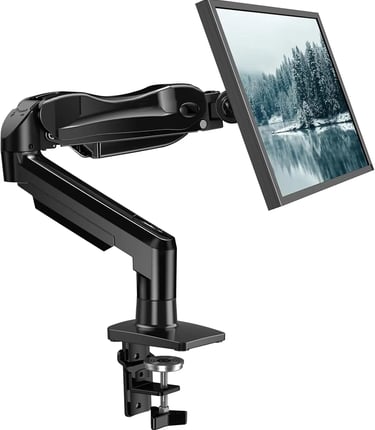
The HUANUO FlowLift Single Monitor Arm is one of the most popular options for users building clean and ergonomic desk setups without spending a premium price.
It supports monitors between 13 and 32 inches and offers smooth adjustments for height, tilt, rotation, and swivel movement.
Why People Like It
Smooth gas spring movement
Strong desk clamp stability
Integrated cable management
Good value for the price
Clean minimalist design
This model works especially well for remote work setups, gaming desks, and productivity-focused workstations.
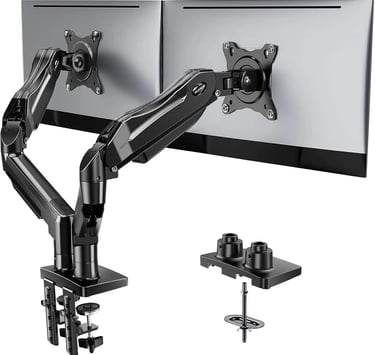
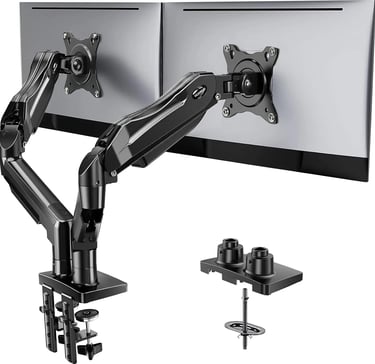
2. HUANUO Dual Monitor Arm
For users running dual-screen setups, the HUANUO Dual Monitor Arm is one of the most practical upgrades for improving multitasking and workspace organization.
The dual-arm design allows independent monitor adjustments for better flexibility while freeing up a significant amount of desk space.
Best For
Dual monitor productivity setups
Coding workstations
Trading desks
Streaming setups
Gaming battlestations
Many users pair dual monitor arms with USB-C hubs and external storage solutions like portable SSDs for more efficient workstations.
3. ErGear Single Monitor Arm
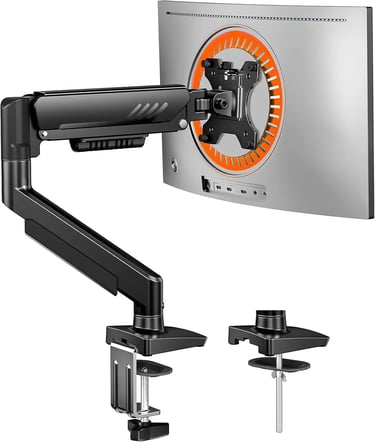
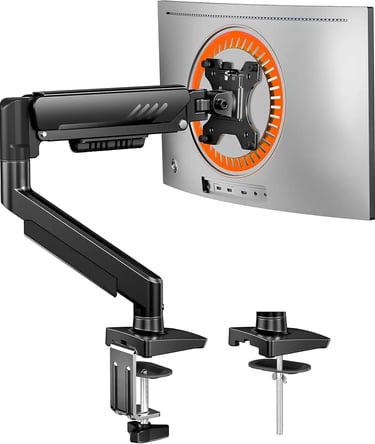
The ErGear Single Monitor Arm focuses heavily on flexibility, durability, and easy installation.
It supports larger displays up to 34 inches and provides smooth movement with excellent stability during repositioning.
Standout Features
Tool-free adjustments
Wide monitor compatibility
Strong build quality
Excellent cable routing
Smooth articulation
This monitor arm is ideal for users who constantly adjust screen positions throughout the day.
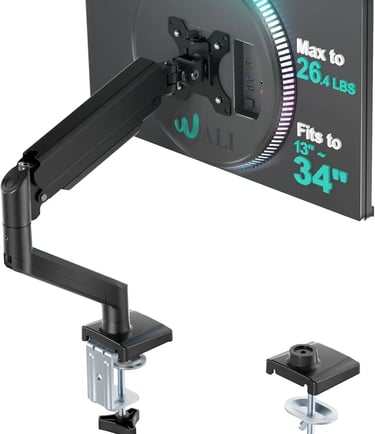
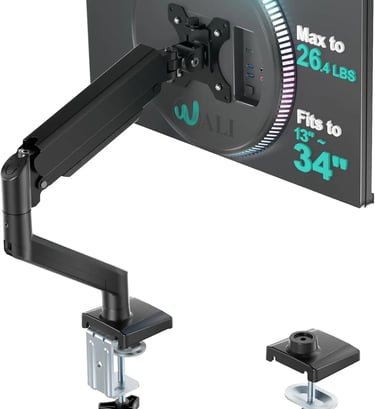
4. WALI Adjustable Monitor Arm
The WALI Adjustable Monitor Arm is a budget-friendly option that still delivers solid ergonomic improvements for everyday desk setups.
It supports screens up to 34 inches and provides adjustable tilt, swivel, and rotation functionality.
Why It’s Popular
Affordable price
Reliable performance
Easy installation
Good compatibility
Compact footprint
For users building budget productivity setups, the WALI arm offers a strong balance between price and functionality.
What to Look for Before Buying an Adjustable Monitor Arm
Not all monitor arms offer the same flexibility or compatibility. Before choosing one, there are several important factors to consider.
Monitor Size and Weight Support
Always verify that the monitor arm supports your display’s:
Screen size
Weight
VESA mounting pattern
Larger ultrawide monitors often require stronger gas spring arms.
Desk Clamp Compatibility
Some desks may not support thicker clamps or grommet mounts. Check desk thickness compatibility before purchasing.
Cable Management
Integrated cable routing helps maintain cleaner desk setups and reduces visible cable clutter.
Users building minimalist workstations often combine monitor arms with wireless charging stations for even cleaner desk organization.
Range of Motion
Higher-quality monitor arms offer:
Better height adjustment
Full rotation
Smooth tilt control
Easier repositioning
This becomes especially useful for long productivity sessions and multitasking workflows.
Are Adjustable Monitor Arms Worth It?
For most users, adjustable monitor arms are absolutely worth considering.
They provide:
Better ergonomics
Cleaner desk organization
Improved posture
More workspace flexibility
Better cable management
Easier multitasking
Even a simple single-monitor arm can dramatically improve comfort during long work or gaming sessions.
For dual-monitor users, monitor arms can completely transform desk organization and workflow efficiency.
Final Thoughts
Adjustable monitor arms have become one of the most valuable upgrades for modern desk setups. Their combination of ergonomics, flexibility, workspace optimization, and cleaner aesthetics makes them useful for nearly every type of user.
Whether you work remotely, game for long hours, create content, or simply want a more comfortable setup, investing in a quality adjustable monitor arm can significantly improve both productivity and daily comfort.
Comparison Table
Related Articles :
Smart gadgets, modern technology, productivity tools, and practical buying guides for everyday life. Discover tech reviews, smart accessories, consumer electronics, and curated recommendations through Digiwanta.
Contact
Affiliate Disclosure:
Digiwanta may earn commissions from qualifying purchases through affiliate partnerships.
Quick links