
Best Portable Monitors for Remote Work and Travel
Discover portable monitors that improve remote work, multitasking, travel productivity, and dual-screen setups for modern professionals.
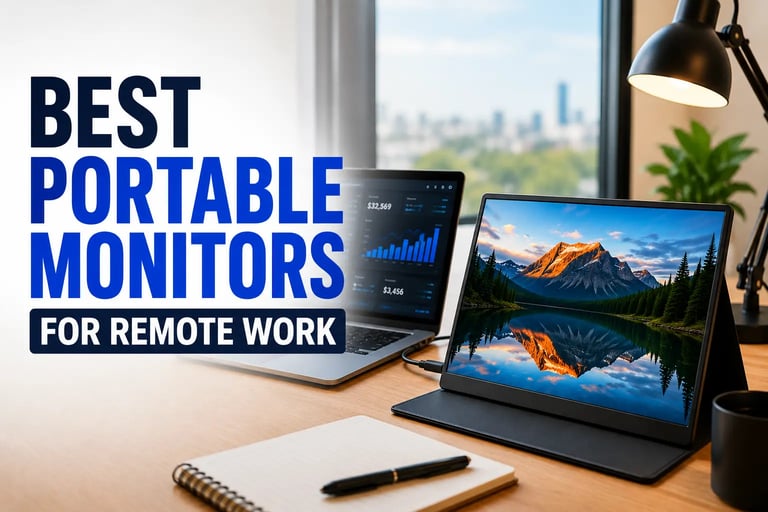
Best Portable Monitors for Remote Work and Productivity
Remote work has completely changed the way people build their workspaces. Whether you work from home, travel frequently, or simply need extra screen space for multitasking, portable monitors have become one of the most useful productivity accessories available today.
A good portable monitor can instantly improve workflow by giving you a second screen for video calls, spreadsheets, editing, coding, research, or entertainment. Unlike traditional desktop monitors, portable displays are lightweight, compact, and easy to carry inside a backpack or laptop bag.
Modern portable monitors now offer Full HD displays, USB-C connectivity, HDR support, built-in speakers, and ultra-slim designs that work perfectly with laptops, MacBooks, gaming consoles, tablets, and even smartphones.
If you are searching for the best portable monitors for remote work, these are some of the top options currently worth considering.
Why Portable Monitors Are Popular for Remote Work
Remote workers often struggle with limited screen space on laptops. Constantly switching between tabs, documents, video meetings, and productivity apps can slow down workflow and reduce efficiency.
Portable monitors solve this problem by adding an extra screen without requiring a bulky desk setup.
Many remote workers also combine portable monitors with USB-C hubs and adjustable laptop stands for better productivity and cleaner cable management.
Some of the biggest advantages include:
Better multitasking
Improved productivity
Easier travel setups
Cleaner workspace organization
Portable dual-screen experience
Plug-and-play connectivity
For many professionals, portable monitors have become an essential part of modern remote work setups.
What to Look for in a Portable Monitor
Before choosing a portable monitor, there are several important features to consider.
Display Quality
Most modern portable monitors now offer Full HD 1080P IPS panels that provide better colors, viewing angles, and sharper visuals.
Connectivity
USB-C support is extremely important because it allows both video signal and power delivery through a single cable. HDMI support is also useful for gaming consoles and older laptops.
Portability
Thin and lightweight designs make a big difference for users who travel frequently or work in multiple locations.
Built-In Stand or Cover
Some portable monitors include adjustable stands or smart covers that improve viewing comfort and desk organization.
Wireless charging stations are also becoming popular additions to modern remote work and desk setup environments.
Compatibility
A good portable monitor should work smoothly with:
Windows laptops
MacBooks
Phones
Tablets
PS5
Xbox
Nintendo Switch
Quick Comparison Table
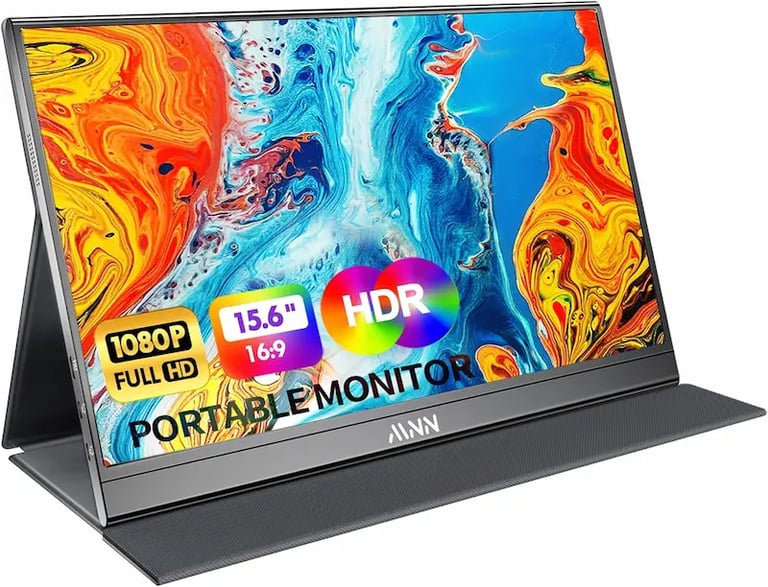
1. MNN Portable Monitor 15.6-Inch FHD
The MNN Portable Monitor is one of the most balanced options for remote workers looking for affordability, portability, and solid display quality.
It features a 15.6-inch Full HD IPS display with HDR support and an ultra-slim design that fits easily into backpacks and travel bags.
The USB-C and HDMI connectivity options make it compatible with a wide range of devices including laptops, MacBooks, smartphones, and gaming consoles.
The included smart cover also doubles as a stand, making it useful for coffee shops, hotel rooms, or temporary workspaces.
Best Features
Full HD IPS display
HDR support
Lightweight design
Plug-and-play setup
Smart protective cover
2. InnoView Portable Monitor 15.6-Inch
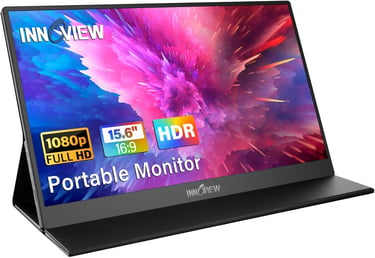
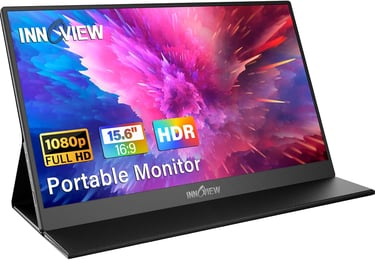
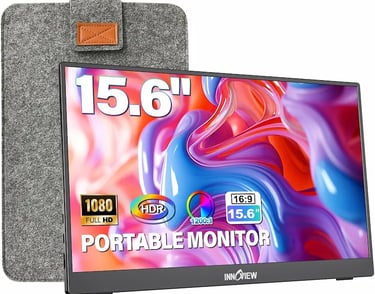
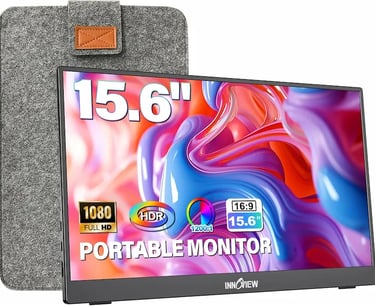
The standard InnoView Portable Monitor is designed for users who want a reliable second screen for productivity and remote work.
Its clean design and built-in speakers make it ideal for meetings, spreadsheets, presentations, and media consumption.
The protective case helps improve portability while protecting the screen during travel.
Because it supports USB-C and HDMI connections, setup is usually fast and simple without requiring complicated software installations.
Best Features
Thin and portable design
Built-in speakers
Wide device compatibility
Good viewing angles
Easy laptop connection
3. InnoView Portable Monitor with Adjustable Stand
This upgraded InnoView model adds one major advantage for productivity users: a built-in adjustable stand.
The adjustable stand allows better ergonomic positioning during long work sessions, which can improve comfort and reduce neck strain.
For users building flexible remote work setups, this feature makes a noticeable difference compared to monitors that rely only on folding covers.
Its slim profile still keeps the monitor highly portable while adding more convenience for daily use.
Best Features
Adjustable 90-degree stand
Slim and lightweight body
USB-C and HDMI support
Portable work-friendly design
Better ergonomic flexibility
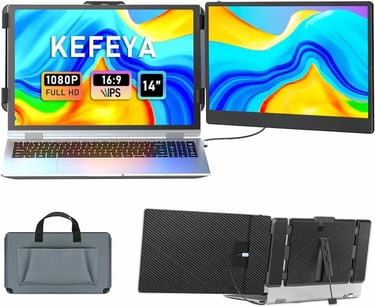
4. KEFEYA Laptop Screen Extender
The KEFEYA Laptop Screen Extender is slightly different from traditional portable monitors because it focuses heavily on multitasking.
Instead of acting as a separate standalone display, it attaches directly to compatible laptops to create a dual-screen workstation experience.
For users who regularly manage spreadsheets, coding windows, video editing timelines, or multiple browser tabs, this setup can significantly improve productivity.
Its plug-and-play functionality makes installation fast and convenient for remote professionals.
Best Features
Dual-screen laptop setup
Portable productivity solution
Full HD IPS display
Wide compatibility
Great multitasking experience
Best Portable Monitor for Travel
For travel-focused users, lightweight design and cable simplicity matter the most.
The MNN Portable Monitor and standard InnoView model are both excellent choices for travelers because they combine portability with reliable performance.
Slim profiles, USB-C support, and lightweight construction make them easy to carry during flights, business trips, or hybrid work schedules.
Best Portable Monitor for Productivity
If your main goal is improving workflow and multitasking, the KEFEYA Laptop Screen Extender stands out because of its dual-screen design.
Meanwhile, users who prefer more flexibility and traditional monitor positioning may prefer the InnoView Adjustable Stand version.
Both options work particularly well for:
Remote workers
Students
Programmers
Content creators
Business travelers
Final Thoughts
Portable monitors have become one of the most valuable accessories for modern remote work setups. They improve multitasking, reduce workflow limitations, and create a more comfortable working environment almost anywhere.
Whether you need a lightweight travel display, a flexible second screen for productivity, or a portable dual-monitor solution, today’s portable monitors offer excellent versatility for both work and entertainment.
Choosing the right option depends mainly on your workflow, portability needs, and preferred setup style.
Related Articles :
Smart gadgets, modern technology, productivity tools, and practical buying guides for everyday life. Discover tech reviews, smart accessories, consumer electronics, and curated recommendations through Digiwanta.
Contact
Affiliate Disclosure:
Digiwanta may earn commissions from qualifying purchases through affiliate partnerships.
Quick links