
Best USB-C Hubs for MacBook
Looking for the best USB-C hub for your MacBook? Compare the top USB-C hubs for MacBook Pro and Air with HDMI, USB-A, SD card readers, and fast charging support.
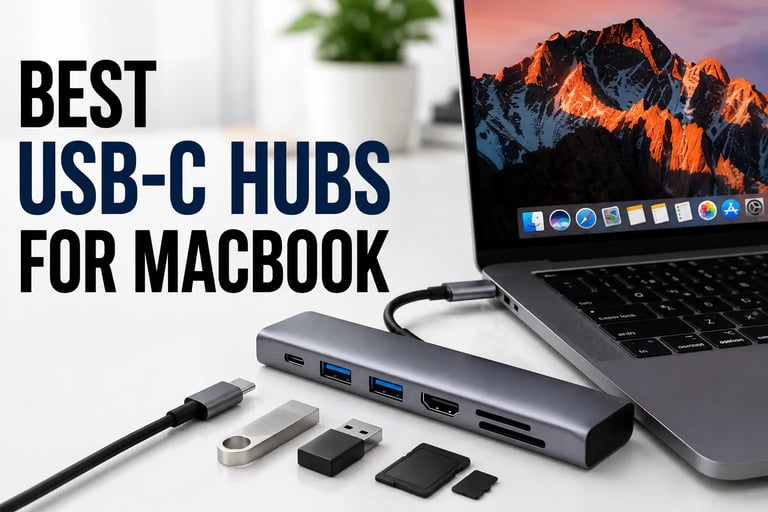
Modern MacBooks are powerful, portable, and minimalist — but the limited number of ports can quickly become frustrating. Whether you need HDMI, USB-A ports, SD card readers, or fast charging, a reliable USB-C hub can completely transform your workflow. After comparing some of the most popular MacBook USB-C hubs available today, these are the best options for productivity, work setups, travel, and everyday use.
USB-C hubs are often used together with portable monitors, wireless charging stations, and ergonomic desk accessories to create more flexible workspaces.
Quick Comparison Table
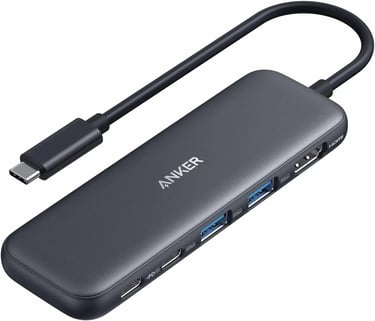
1. Anker 5-in-1 USB-C Hub — Best Overall
The Anker 5-in-1 USB-C Hub is one of the most balanced options for MacBook users. It offers HDMI output, fast USB-A ports, and USB-C power delivery in a compact aluminum body.
What makes this hub stand out is reliability. Anker accessories are widely trusted for stable connections, good thermal management, and long-term durability.
Pros
Compact and travel-friendly
Reliable HDMI output
Great build quality
Excellent for everyday productivity
Cons
No SD card reader
Limited port variety
Best For
MacBook users who want a simple and dependable USB-C hub for daily work.
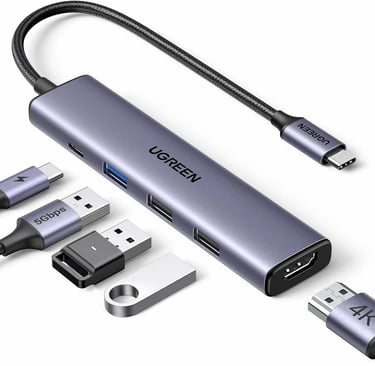
2. UGREEN 5-in-1 USB-C Hub — Best Budget Option
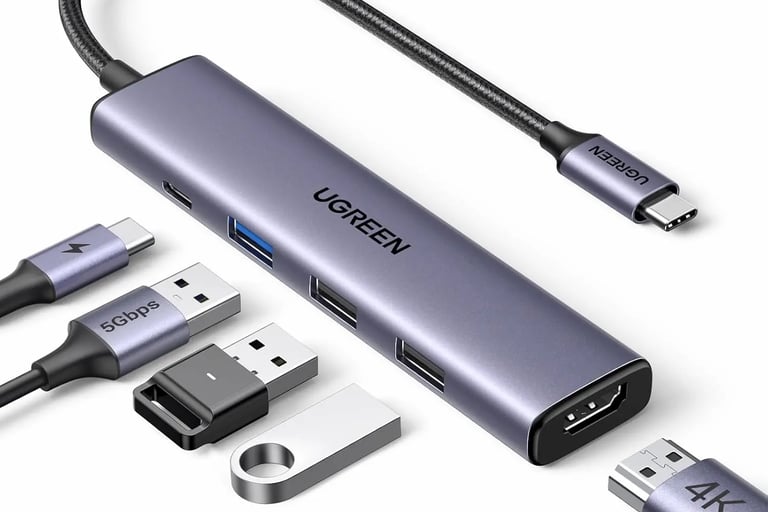
Write your text here.UGREEN continues to offer some of the best value USB-C accessories for MacBook users. This 5-in-1 hub includes HDMI output, multiple USB-A ports, and 100W power delivery at a very competitive price.
Performance is surprisingly solid considering the price category, making it a great option for students and office users.
Pros
Affordable price
100W charging support
Slim aluminum design
Good everyday performance
Cons
Fewer premium features
Basic port layout
Best For
Users looking for a budget-friendly MacBook USB-C adapter without sacrificing functionality.
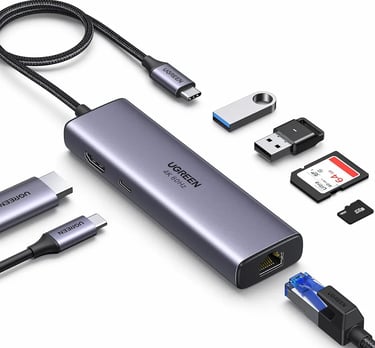
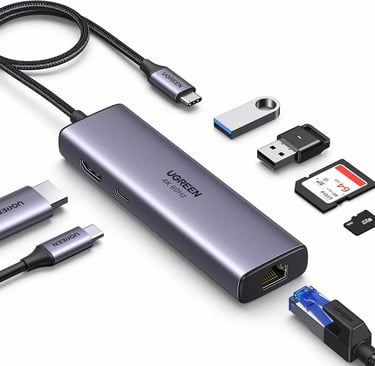
3. UGREEN Revodok 7-in-1 — Best Premium Choice
If you need more connectivity options, the UGREEN Revodok 7-in-1 is one of the strongest choices available right now.
In addition to HDMI and USB ports, it also includes SD and microSD card readers, making it ideal for creators, photographers, and video editors.
Pros
Multiple high-speed ports
SD and TF card support
Premium build quality
Strong charging performance
Cons
Slightly larger size
Higher price than basic hubs
Best For
Content creators and professionals who need more connectivity options.
4. LENTION USB-C Hub — Best Compact Hub
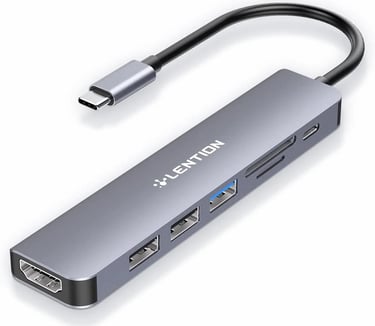
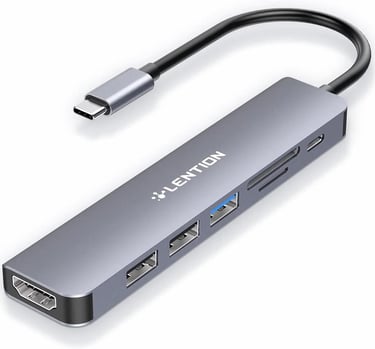
The LENTION USB-C Hub focuses on portability and simplicity. Its lightweight design makes it easy to carry in a backpack or laptop sleeve.
Despite its compact size, it still includes HDMI, USB-A ports, SD card slots, and charging support.
Pros
Lightweight and portable
Good port selection
Simple plug-and-play setup
Cons
Not ideal for heavy workloads
Smaller spacing between ports
Best For
Travelers and students who want a portable MacBook hub.
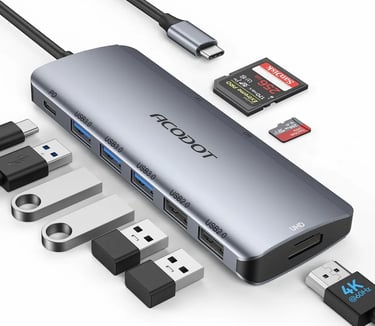
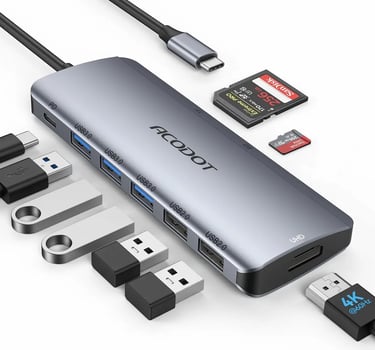
5. Acodot 9-in-1 USB-C Hub — Best Multiport Option
If your workflow requires many accessories, external drives, monitors, and memory cards, the Acodot 9-in-1 hub offers excellent flexibility.
It includes multiple USB ports, HDMI output, SD and TF card readers, and power delivery support in one device.
Pros
Large number of ports
4K HDMI support
Excellent workstation hub
Great for desk setups
Cons
Less portable
Bulkier than compact hubs
Best For
Power users and workstation setups.
How to Choose the Best USB-C Hub for MacBook
Before buying a USB-C hub, consider these important factors:
Number of Ports
Think about what devices you connect daily:
USB flash drives
External SSDs
HDMI monitors
SD cards
Ethernet adapters
Power Delivery
A hub with 100W PD support allows you to charge your MacBook while using accessories.
HDMI Resolution
For external displays, 4K HDMI support is highly recommended.
Build Quality
Aluminum hubs generally offer better heat management and durability.
Things to Avoid
Extremely cheap no-brand hubs
USB 2.0-only adapters
Hubs without power delivery
Plastic hubs with overheating issues
Final Verdict
For most users, the Anker 5-in-1 USB-C Hub is the best overall choice thanks to its balance of reliability, performance, and portability.
However:
Choose UGREEN if you want better value
Choose Acodot if you need many ports
Choose Revodok for professional workflows
A good USB-C hub can dramatically improve your MacBook experience, especially for productivity and multi-device setups.
✅ Final CTA
👉 Compare the latest USB-C hub prices on Amazon before choosing the best option for your setup.
Related Articles :
Smart gadgets, modern technology, productivity tools, and practical buying guides for everyday life. Discover tech reviews, smart accessories, consumer electronics, and curated recommendations through Digiwanta.
Contact
Affiliate Disclosure:
Digiwanta may earn commissions from qualifying purchases through affiliate partnerships.
Quick links